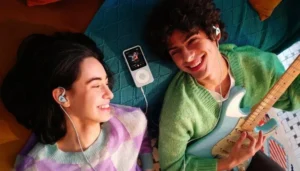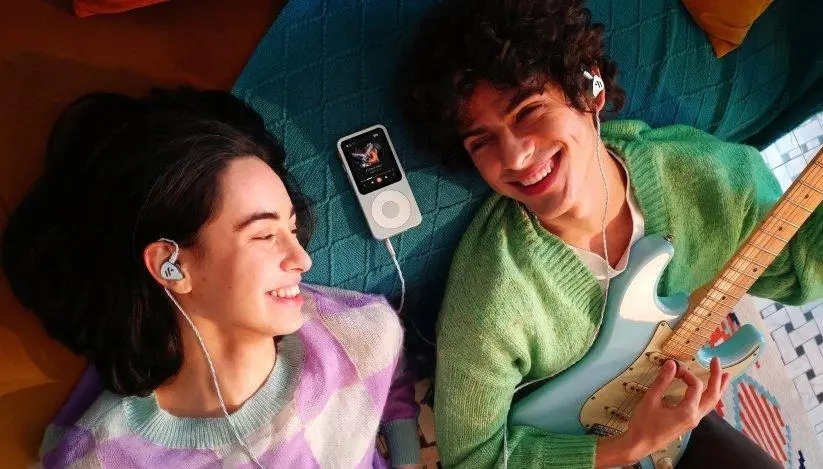
A dedicated music player only sounds as good as the way you set it up, and the Fosi Audio DAP Neo is no exception. It is built for listeners who want their music files played properly, without a phone getting in the way, but a few early mistakes can undo most of that advantage before you have heard what it can do. The good news is that every one of these mistakes is easy to avoid once you know what to watch for.
Most of the trouble comes from habits carried over from phone listening. People copy low-quality files onto the player, leave the volume and EQ settings where they landed out of the box, or pair it with earphones that cannot show what the player is doing. None of this means the player is at fault. It means the setup needs a little more care than a phone, which hides most of these choices from you.
Loading low-quality files and expecting high-quality sound
The single biggest mistake is filling the player with heavily compressed files and then wondering why it sounds flat. A dedicated player can only work with the sound that is actually in the file, so a track squeezed down to save space will still sound squeezed, no matter how good the hardware is. If you care about sound quality, start with the best files you can get, and keep your old low-bitrate copies for the phone.
If you already own music in a lossless format, use it. If you are buying music again, pick the higher-quality option when it is offered. It takes more storage, and that is the trade-off, but storage cards are cheap compared with the point of owning a separate player. A small library of good files will always beat a huge library of poor ones.
Ignoring the settings that shape the sound
The second mistake is never opening the settings menu. Players like the Fosi Audio DAP Neo usually arrive with safe, middle-of-the-road defaults, and those defaults are fine for a first listen, but they are not tuned to your ears or your earphones. Spend ten minutes with the volume limit, gain, and EQ settings, and change one thing at a time so you can hear what each change actually does.
Be careful with EQ in particular. Pushing the bass slider to the top feels exciting for a minute, then everything else in the music disappears under it. Small adjustments work better, and it helps to turn the EQ off now and then to remind yourself what the recording sounded like before you started. If the sound gets worse, reset and start again rather than piling on more changes.
- Turn the volume up in small steps, not big jumps
- Change one setting at a time and listen before changing another
- Write down settings you like so you can get back to them
Pairing it with the wrong earphones
The player is only half the chain. Plug in a pair of cheap earbuds that came free with something else, and you will hear the earbuds, not the player. That is not a fair test of anything, and it is the reason some people decide a dedicated player makes no difference after one afternoon. The earphones do not need to be expensive, but they do need to be decent, and they need to suit the kind of music you listen to most.
Pay attention to how the earphones fit as well. A loose seal throws away bass and detail, and no setting on the player can put it back. Try the different tip sizes that come in the box, and give yourself a few days to get used to a new pair before judging it. If the sound still feels thin or harsh, try a different pair before blaming the player, because the earphones are the more likely cause.
Treating storage and the battery like a phone
The last common mistake is careless storage and charging. Dumping thousands of files into one folder with no structure makes the player slow to browse and hard to enjoy, and a card that is nearly full can cause stutters and long loading times. Keep some free space on the card, organise by artist or album, and remove files you never play. A tidy library is part of the listening experience, not a chore to put off.
Charging habits matter too. Topping up little and often is fine, but leaving the player plugged in for days, or running it flat every single time, wears the battery down faster than normal use. Charge it when it needs it, unplug it when it is done, and store it somewhere it will not get knocked around in a bag. Look after those basics, and the player will keep sounding the way it did on the first day.
Most of these mistakes come from rushing the first week. Slow down, load good files, adjust the settings one at a time, and give the player earphones that can show what it does. Do that, and you will hear the difference a dedicated player is meant to make, instead of wondering why it sounds like the phone you were trying to get away from.
None of this needs expert knowledge or extra spending. It needs a little patience and a willingness to set things up properly before judging the result. Get the basics right, and the player stops being another gadget in a drawer and becomes the thing you reach for whenever you actually want to listen.
Also Read
- ANR Meaning: Every Definition Explained Clearly (Slang, Tech, Aviation & More)
- Practical HVAC Maintenance Tips to Save Energy and Prevent Unexpected Repairs
- IKR Meaning in Text: The Complete Guide to “I Know, Right?”