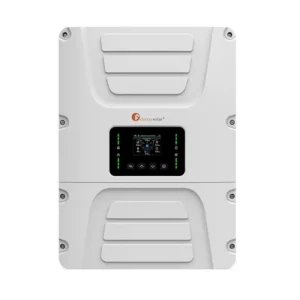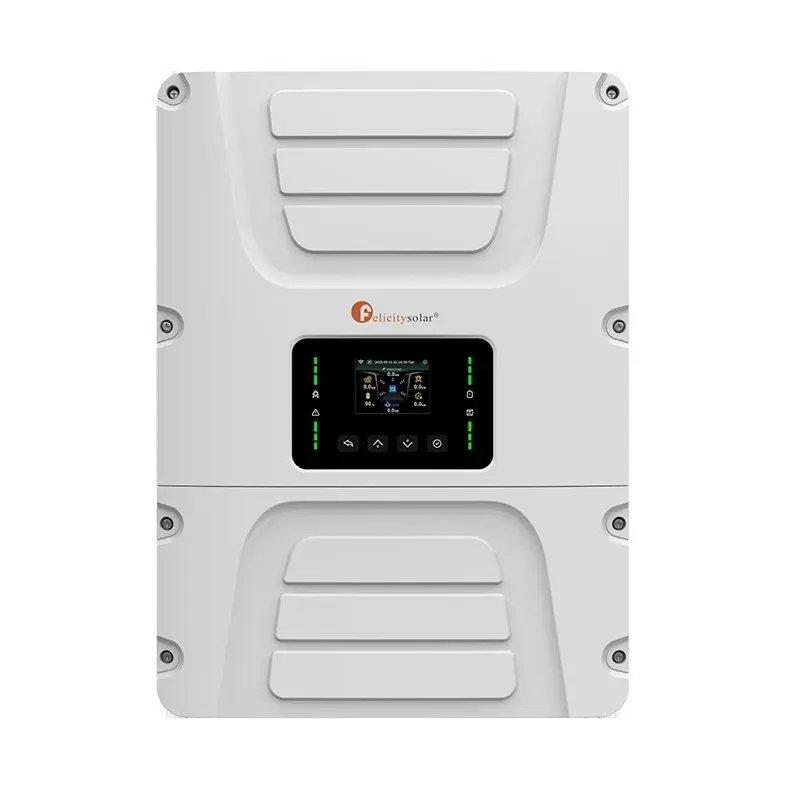
Solar equipment is a big purchase, and reading a spec sheet only tells you part of the story. That is where felicity videos can help. The Felicity Solar video gallery shows inverters, batteries, and complete systems in use, so you can see how the gear looks, how it is wired, and how it behaves in real homes and businesses.
But not every video is equally useful for a buyer. Some are short product clips, others walk through an installation step by step. This guide explains how to watch them with a buying decision in mind, so you finish with a shortlist instead of a pile of open tabs.
Start with the product you actually need
Before you press play, write down what your system has to do. Are you backing up a home, running a shop, or building something off the grid? The answer decides whether you should be watching inverter videos, battery videos, or full system walkthroughs. Without that, it is easy to spend an evening watching gear you will never buy.
Then search the gallery for that product type and watch two or three clips about it. Compare what each one shows: the size of the unit, the ports on the front, and how it is mounted. If two videos show the same model in different settings, you get a much better sense of it than any single clip gives.
What to look for while you watch
A useful video shows the product working, not just sitting on a table. Look for the display screen, the wiring, and any fans or vents. These details tell you how much space it needs and how noisy it might be. Also watch how the presenter handles it, since that hints at how easy it is to install and service.
Pay attention to the setting as well. A video shot in a real home or workshop is more honest than a studio clip. If you can see the cables, the wall mount, and the other equipment around it, you can picture the same setup in your own space and spot problems early.
- Does the video show the unit running under load, not just switched on?
- Can you see the ports, screen, and wiring clearly?
- Is the setting a real installation or a studio table?
- Does the presenter explain the steps, or just show the finished result?
Check the details the video does not show
Videos are good at showing shape and size, but they rarely cover everything. After watching, check the written specs for the things that matter to your install, such as the rated power, the battery size, and the warranty terms. A video can spark interest, but the written details confirm whether a model fits your needs.
It also helps to watch more than one video about the same product. If a feature appears in every clip, it is probably a real selling point. If it only appears once, treat it as a claim to check. The felicity videos are a starting point for research, not the whole of it.
Turn what you watched into a shortlist
Once you have watched a handful of clips, write down two or three models that fit your system and your budget. Next to each one, note what you liked from the video and what you still need to confirm. That short note is worth more than a long watch history when you talk to a supplier.
Then take that shortlist to a seller or installer and ask about the gaps: availability, installation, and after-sales support in your area. A good supplier will answer plainly. If they cannot, that tells you something too, and it is better to learn it now than after you have paid.
Comparing two models side by side with {A}
When you have narrowed it down to two models, use the felicity videos to compare them directly instead of relying on memory. Watch a clip about each one and note the same things both times: the size, the screen, the ports, and how the unit is mounted. Watching with the same checklist makes the differences stand out, and it stops a flashy video from carrying more weight than it should.
It also helps to look for a video that shows a full system rather than a single box. A complete setup shows how an inverter and a battery work together, how the cables run, and where the whole thing fits on a wall. That wider view often answers the questions a single product clip leaves open, and it gives you a much better picture of what your own installation would look like.
Used this way, felicity videos save you time and cut down on guesswork. Watch with a clear need in mind, look for real installations, check the written specs, and finish with a shortlist. Do that, and the videos become a practical buying tool instead of just something to scroll through, helping you buy once and buy well.
Also Read
- https://grammarexparts.com/black-friday-and-the-nursery-what-uk-parents-should-check-before-buying-a-cot-that-converts/
https://grammarexparts.com/conference-management-melbourne-how-to-run-a-flawless-corporate-event-without-blowing-the-budget/
https://grammarexparts.com/how-to-budget-for-your-small-cafe-without-overspending/