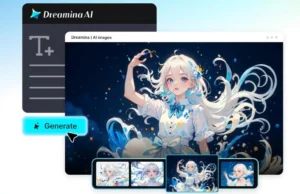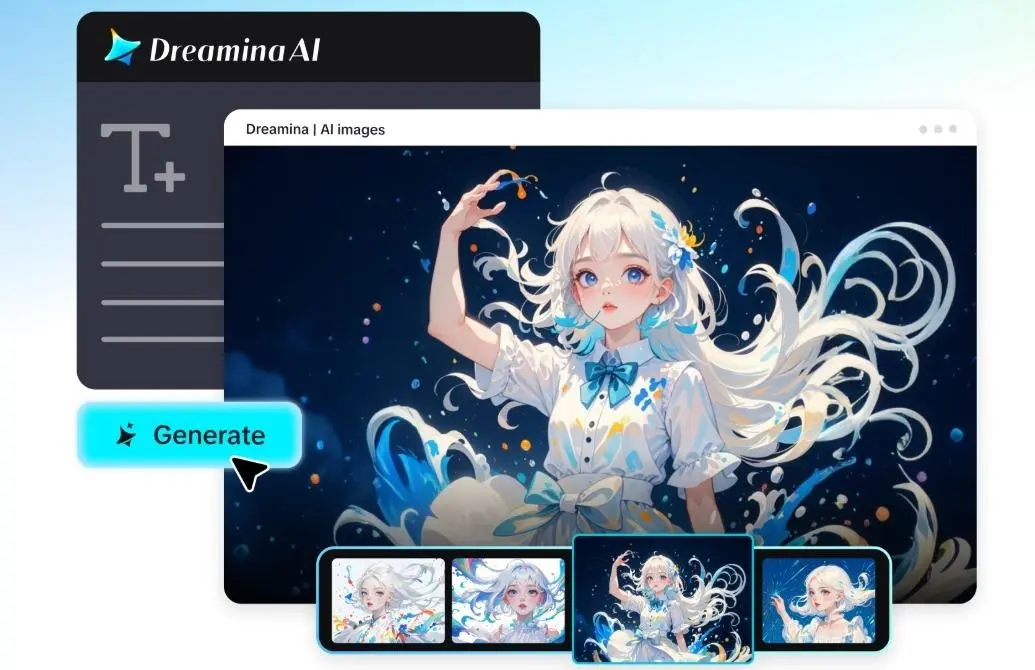
Parallax motion is achieved by moving foreground and background elements at different speeds to add depth. It is a visual method that can be used to create the impression of depth without the need for elaborate camera movements in flat compositions. Still product images can be more interesting when there is a bit of movement that shows the shape and environment. Controlled movement highlights packaging, textures, colors, and other distinguishing features. It also adds a more filmic quality of space for promotional sequences. Dreamina’s Marketing Studio combines product references, creative instructions, image generation, and video creation.
Understand How Parallax Motion Creates Depth in Product Videos
The parallax effect is based on the idea of dividing a scene into various planes that are able to move independently. Objects that are close to the foreground tend to be more noticeable than objects in the distance. This contrast aids in the viewer’s perception of distance and creates a greater sense of spatial quality in the composition. Horizontal or vertical camera movement is simulated to make the still arrangements look like a movie. Gentle push-ins provide progression as long as perspective and scale are believable. Layered movement can be used to create dimensions in a marketing studio for product videos. The product should be the focal point of the image, and any movement should highlight the product’s attributes and message.
Plan the Visual Layers Before Creating a Parallax Product Video
Name the product as the visual focus of the composition. Determine which supporting objects should be placed in the foreground, middle ground, and background. The product can be framed by foreground leaves or reflective surfaces. The middle ground is met by tables and platforms for display, and by distant views to set up depth. Opt for environments that match the product colors and brand feel. Next, choose a movement direction, such as a slow horizontal slide or gentle push-in. Do not break up layers to the point of distortion of edges or loss of believable relationship between objects.
Create Parallax Motion with a Marketing Studio for Product Videos
Step 1: Build the layered scene with your product and presenter
- First, sign up or log in to Dreamina, because you need an account to begin.
- Open “Marketing Studio” on the left bar to start building your layered parallax motion scene.
- Pick “AI video” for video creation, since parallax motion needs moving footage to show depth. Select “AI image” for image creation, or “AI agent” for image and short video creation.
- Inside “AI video”, click “Change style” and select the style that fits your parallax look.
- Click “Product” to upload your product photo, the main foreground layer of your moving shot. Then click “Avatar” to bring in a presenter who stands against the layered moving background. You can choose from the library, which holds existing products and avatars for quick use.
- Write a prompt that describes how your parallax video should look, feel, and move smoothly. Feel free to add custom direction, such as camera drift speed or layer depth separation.
Step 2: Set depth guidance and generate the parallax clip
- Click the “Reference” tab and add a video showing the layered depth motion you want. This clip guides the AI on how your final parallax video should look and move.
- Choose a model for your parallax clip, such as HappyHorse 1.1 or Dreamina Seedance 2.5. You can pick Dreamina Seedance 2.0, Dreamina Seedance 2.0 Fast, or Dreamina Seedance 2.0 Mini. Wan 3.0 is another option, plus other models in the list for smoother layer movement.
- Open the “Aspect ratio” tab to set a custom shape for your parallax video frame. Then use the “Resolution” tab to pick a custom quality that keeps every layer sharp.
- Click the “Duration” tab to select a custom video length for the slow camera drift.
- Use the “@” option to mention or highlight the specific product within your parallax video.
- Finally, click on the “Generate” tab to begin creating your layered parallax video right away.
Step 3: Preview, refine, and download your parallax video
- Watch the finished video on full screen to judge how the depth layers move together. Check the product framing, the avatar’s delivery, and the pacing before you approve the clip.
- If the motion feels off, click “Edit prompt” to adjust your wording and layer depth. You can also click “Regenerate” to refine the end results with a brand new attempt.
- Select “Edit in canvas” if you want to edit the generated video with full freedom. Here, you can replace the background, add effects, or crop the video with total control.
- Once you feel satisfied with the result, click “Download” to save your finished parallax video. Then share it across your marketing channels to capture attention with eye-catching depth and polish.
Creative Ways to Incorporate Parallax Motion into Product Advertising
Each layer has a clear purpose, and parallax is used to serve different advertising goals. A floating reveal can be used to push a product slowly forward against a divided background. Lifestyle imagery can move the surrounding elements, but maintain the stillness of the item being showcased. A slight perspective change can be used for packaging presentations to show dimensions, labels, and surface finishes. Sequences that focus on a feature can cause surrounding elements to be displaced from a control, texture, or functional detail. Colors, lighting, and environmental depth can be repeated in a brand-led visual. Useful concepts include:
- Floating product reveal: Reveal product in slow forward motion with limited background movement.
- Lifestyle environment: Infuse a kitchen, workspace, vanity, or outdoor space with subtle depth.
- Packaging showcase: Controlled angle shift to reveal the structure and printed features of packages.
- Focused presentation: Lead focus to one important attribute of the product using surrounding movement.
- Brand atmosphere: Use the same colors, lights, and layered scenery throughout campaign videos.
Balance Movement, Product Visibility, and Brand Consistency
Maintain key product attributes recognisable. Labels, proportions, colors, and shapes should be consistent from frame to frame. Depth is often better conveyed by having the camera move less rather than move a lot. The lighting, shadows, and perspective should be uniform throughout the scene. Product information and calls to action should not clash with background animation. Using the same product reference in Dreamina’s Marketing Studio will help to keep continuity between the variations of the promotion. If adapting video to other channels, make aspect ratio changes while maintaining the visual hierarchy of the product. Be sure to examine each crop individually, as there could be a difference between a vertical composition and a wide one.
Common Parallax Design Mistakes to Avoid
Too much layer movement can cause objects to look “out of place” with their surroundings. Ensure that the foreground movement is subtle, and there is no unnecessary movement in multiple directions. Another poor visual hierarchy is when decorative features overpower the product, so the message is not clear. Closer objects may appear smaller than objects that are farther away. Too much information in the composition creates clutter and lessens the focus on product details. If you’re bad at timing, it causes the scene to jump around, which stops it from flowing naturally. Check the sequence at the size that you want to play it back at, as small previews may mask distortions and awkward cuts.
Conclusion
Product videos use parallax motion by meticulous layering and controlled movement to create depth. Clear visual hierarchy, believable perspective, and consistent product presentation are essential to effective results. Dreamina’s Marketing Studio combines product photography, creative prompts, reference videos, and AI video generation into a single space. These features enable creators to experiment with promotional variations beyond traditional shoots. When done with careful planning and restrained motion, static imagery can be transformed into dimensional marketing content.
Also Read
- ttps://grammarexparts.com/black-friday-and-the-nursery-what-uk-parents-should-check-before-buying-a-cot-that-converts/
https://grammarexparts.com/conference-management-melbourne-how-to-run-a-flawless-corporate-event-without-blowing-the-budget/
https://grammarexparts.com/how-to-budget-for-your-small-cafe-without-overspending/